 Renewly
Every renewal, before it hits.
Renewly keeps your subscriptions, free trials and recurring bills in one calm list, shows what you really spend, and reminds you before you're charged. You decide what stays.
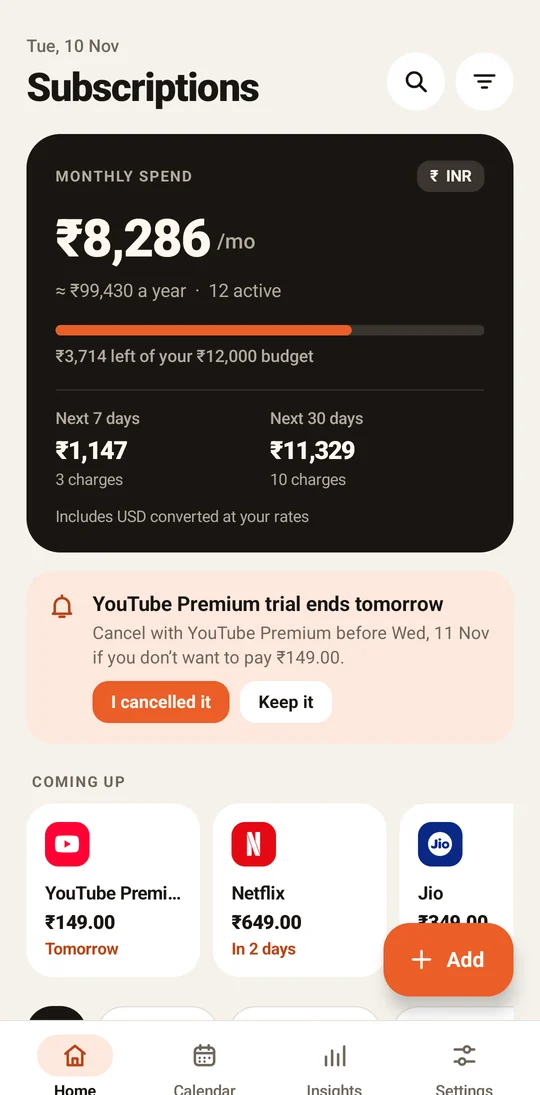
230+ services, plans and bills.
Ready to add.
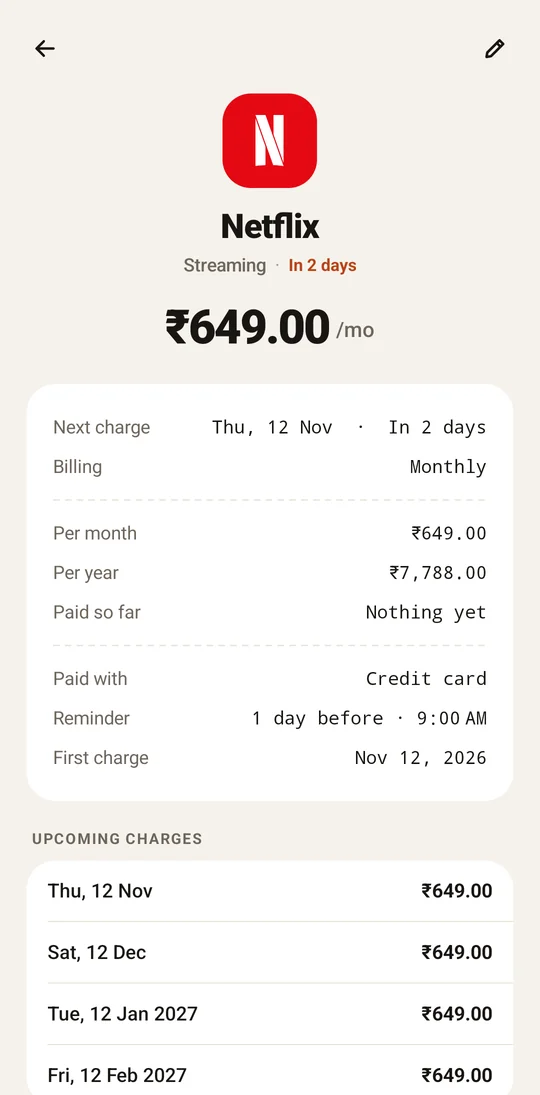
Pick a service, enter what you pay, done. Or add anything recurring as a custom item.
Popular services show their own logo in the app, so you recognise them at a glance.
A heads-up before every charge.
Choose on the day, or 1, 2, 3 or 7 days before, at the time that suits you. Free trials get their own warning before they turn into a paid plan.
- Works after restarts and time-zone changes
- “Trial ends tomorrow” card with one-tap I cancelled it
- Lock screen only says “Renewal reminder”
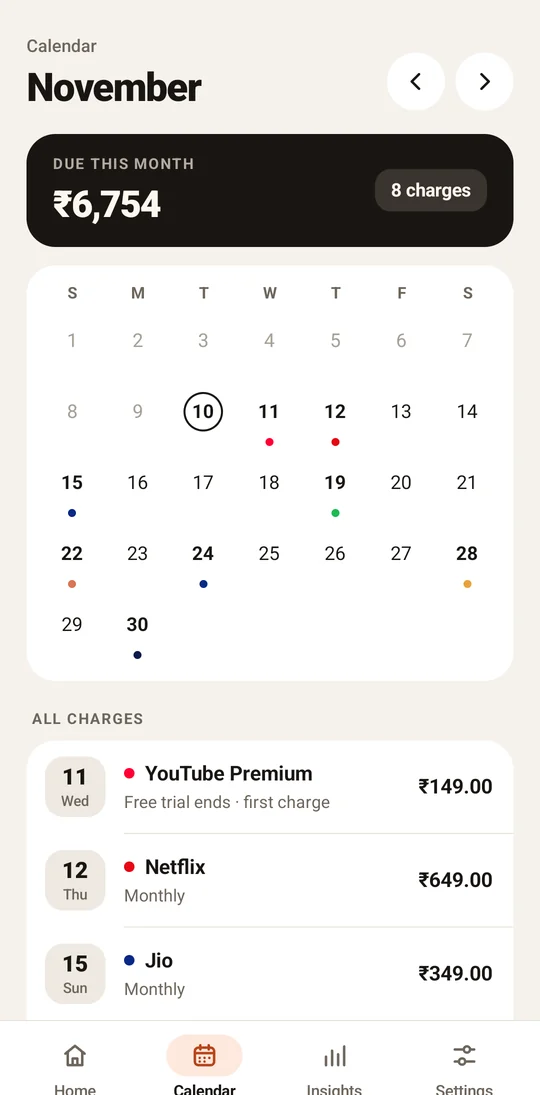
See which days money leaves.
A month view with a coloured dot for every charge, and the total due this month at the top. Tap a day to see exactly what's coming.
- Weekly, monthly, quarterly, yearly or custom cycles
- End-of-month and leap-day dates handled correctly
- Home-screen widget with your next renewals
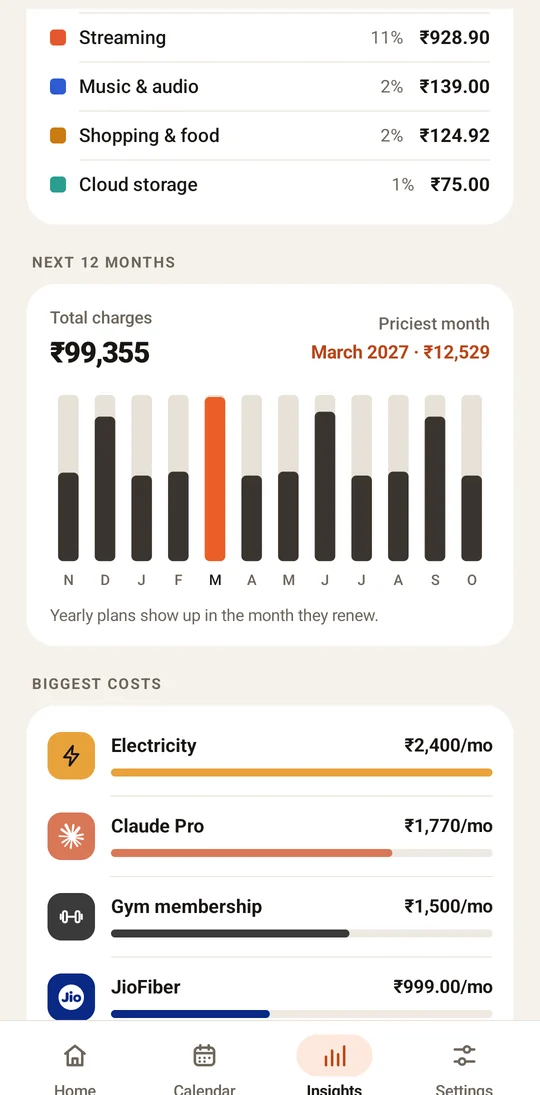
Where it all goes, at a glance.
Spending by category, a 12-month forecast that shows when yearly plans land, and your biggest costs, all converted into your home currency.
- 46 currencies with editable offline rates
- Monthly budget with a clear progress bar
- Split family plans and track only your share
Know exactly what you pay.
Your list never leaves your phone.
Renewly has no account and no servers. It doesn't read your emails or messages, and it never asks for your bank. Back up to a file you control, and restore it whenever you like.
Free to start. Pay once for Pro.
No subscription to track your subscriptions.
Free
Everything you need to stay on top of renewals.
- Up to 5 subscriptions
- Reminders and free-trial alerts
- Calendar, budget and widget
- Multi-currency totals
- Backup and restore
Renewly Pro
Unlock it once on your Google account. It's yours to keep.
- Unlimited subscriptions
- Insights: categories, 12-month forecast, biggest costs
- Spreadsheet (CSV) export
- No ads, ever
Questions, answered.
Does Renewly cancel subscriptions for me?
No. Renewly tracks and reminds; it never connects to your accounts. When you cancel with the service, tap “I cancelled this” and Renewly stops reminders and shows how much you've saved.
Do I need to link my bank or email?
Never. You add subscriptions yourself in a few taps, choosing from 230+ ready-made services, plans and bills. Nothing is read from your inbox, SMS or bank.
How do different currencies work?
Each subscription keeps its own currency, and totals are converted into your home currency using offline rates you can edit in Settings. No internet is needed.
What happens if I change phones?
Use Settings → Back up to a file and save it to Google Drive or anywhere you like. On the new phone, install Renewly and choose Restore from backup. Pro is restored from your Google account with “Restore purchase”.
Are there ads?
The free plan shows a small banner and an occasional full-screen ad before tasks like adding a subscription, at most once every two minutes. Ads never receive your subscription data. Renewly Pro removes all ads.
Is my data safe if I uninstall?
Uninstalling deletes everything stored by Renewly on your phone. Make a backup first if you want to keep your list.
What do you really spend?
Find out in two minutes. Free on Google Play.
Get it on Google Play